Controller board
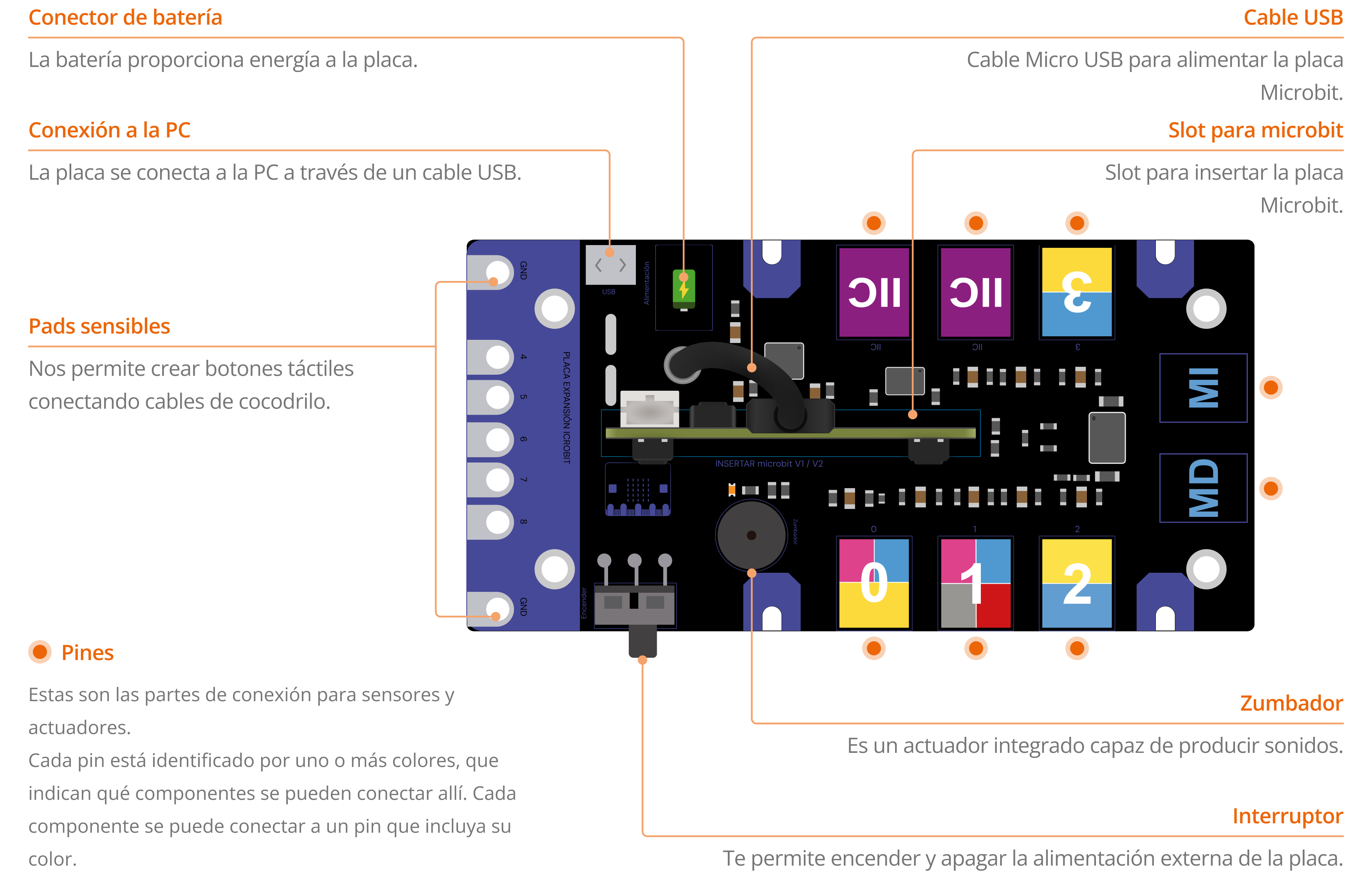
It is one of the most important components since it allows us to connect the Microbit board and connect all the external components.
Microbit® board
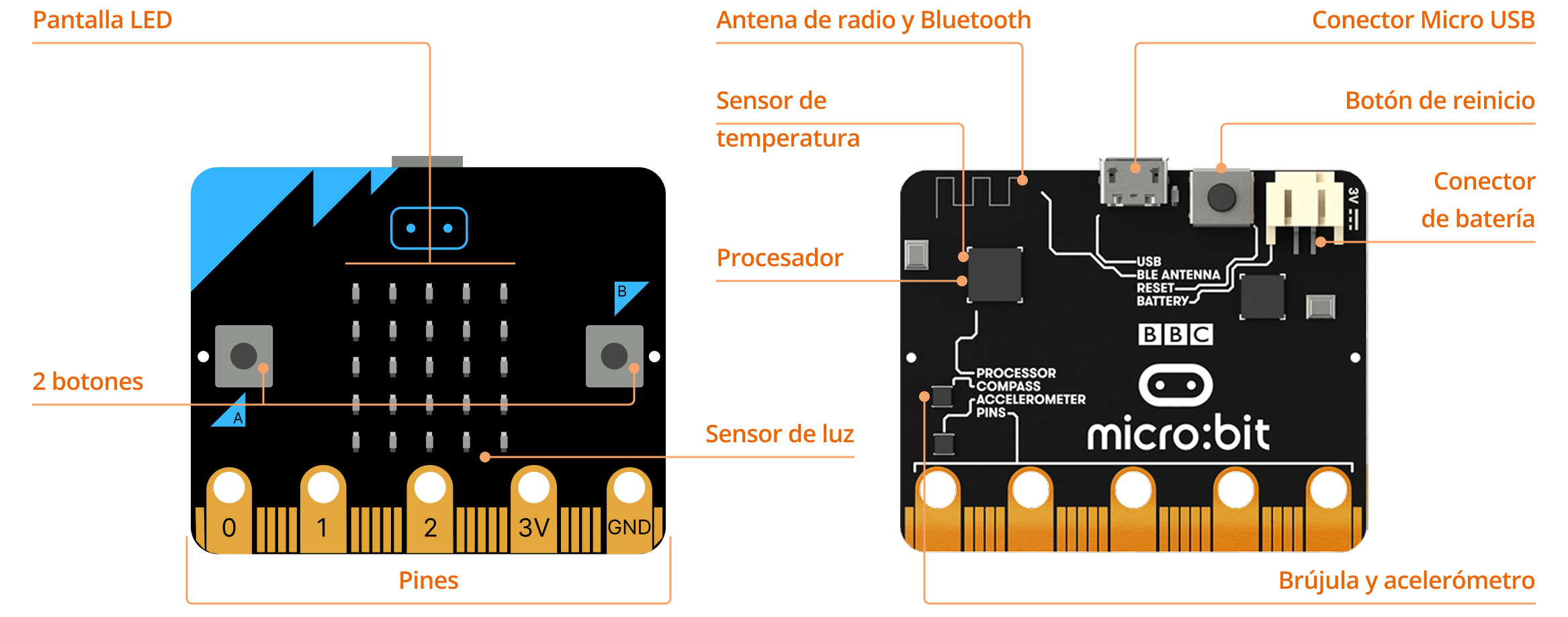
The BBC micro:bit is a pocket-sized computer that you can code, customise and also control. It has a variety of built-in components for quick and easy programming.
How to connect the controller board?
1. Plug the microbit into the controller board.
2. Connect the USB cable to the microbit.
3. Connect the controller board to PC with USB C cable.
4. Start programming!
External components
In the kit, there are some components that connect to the board using connection cables (one cable is needed for each component). They can be classified into sensors and actuators.
Sensors
Digital
Push button
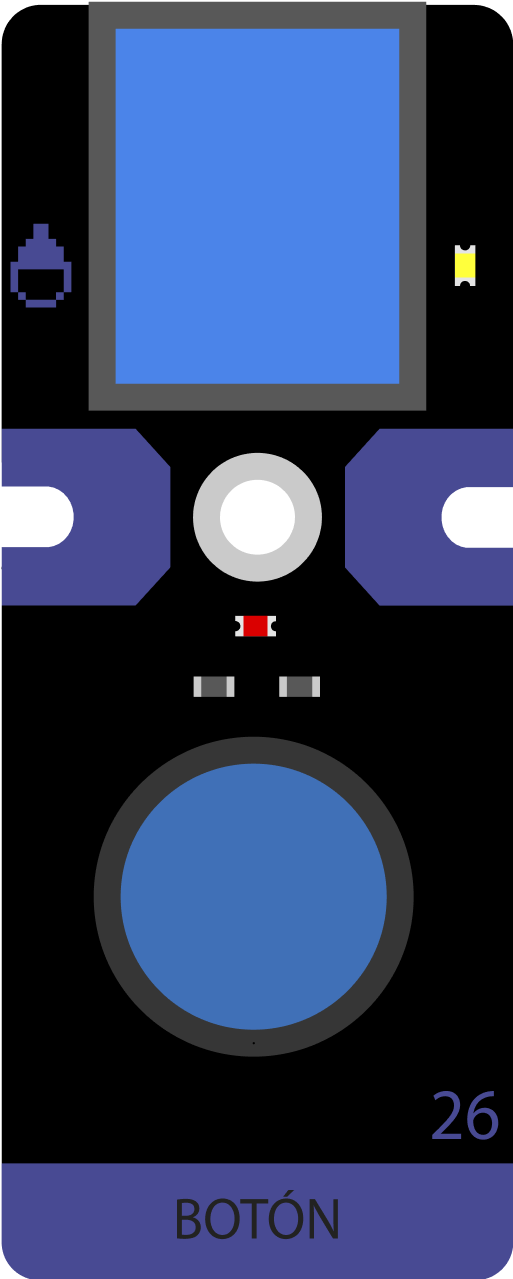
Detects the pressure of a finger.
It connects to a blue pin.
Temperature & humidity sensor
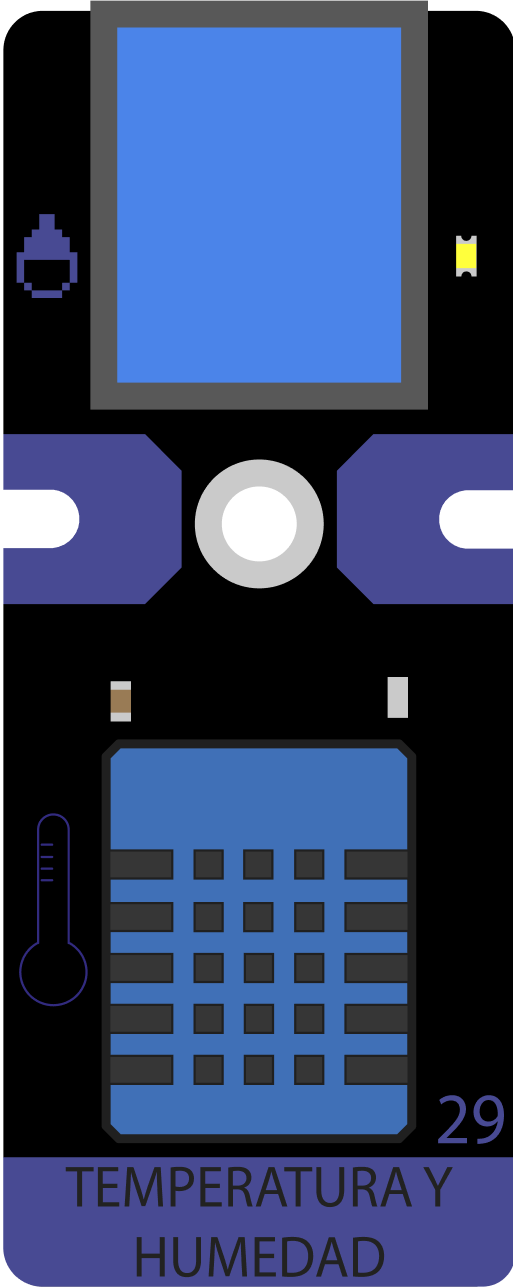
Reads the temperature and humidity of the environment.
It connects to a blue pin.
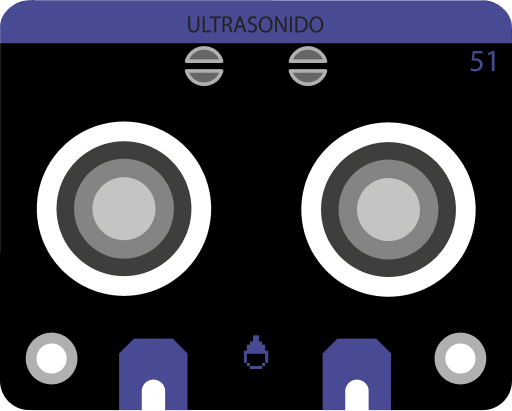
Ultrasonic sensor
Measures the distance to an object in a range from 0 to 200 centimeters.
It connects to a red pin.
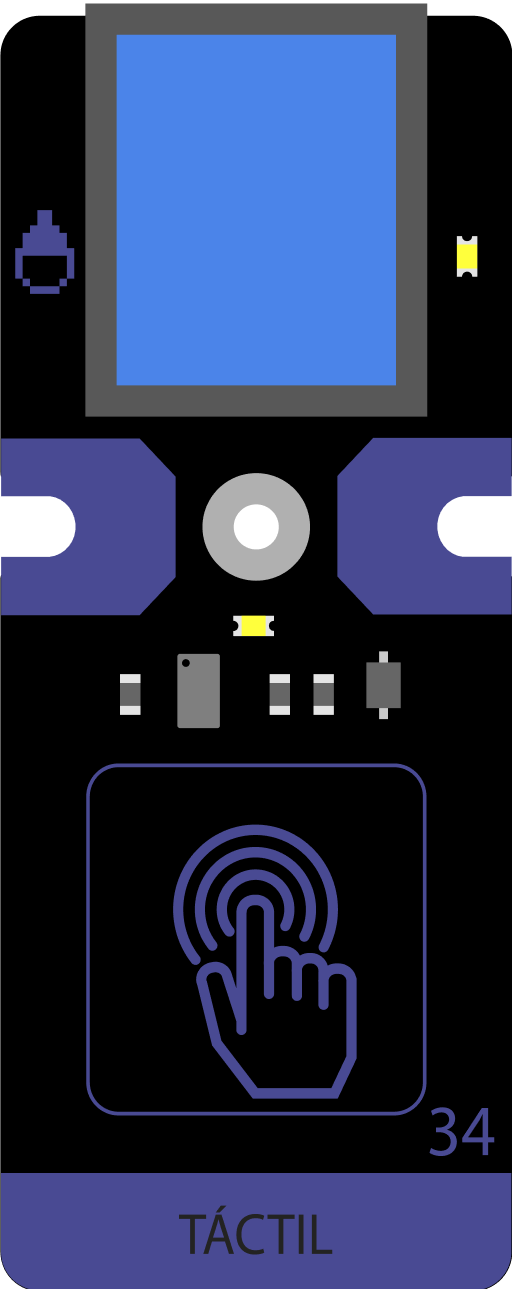
Touch button
Detects touch pressure. Also called “tactile button”.
It connects to a blue pin.
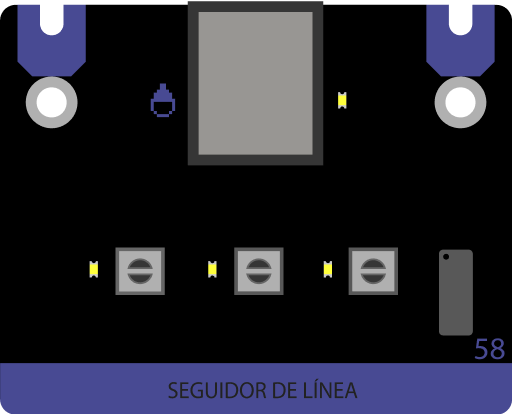
Line follower
It is made up of three infrared sensors that are capable of detect color values: black and white. This allows you to identify a black line on the floor to follow.
It connects to a grey pin.
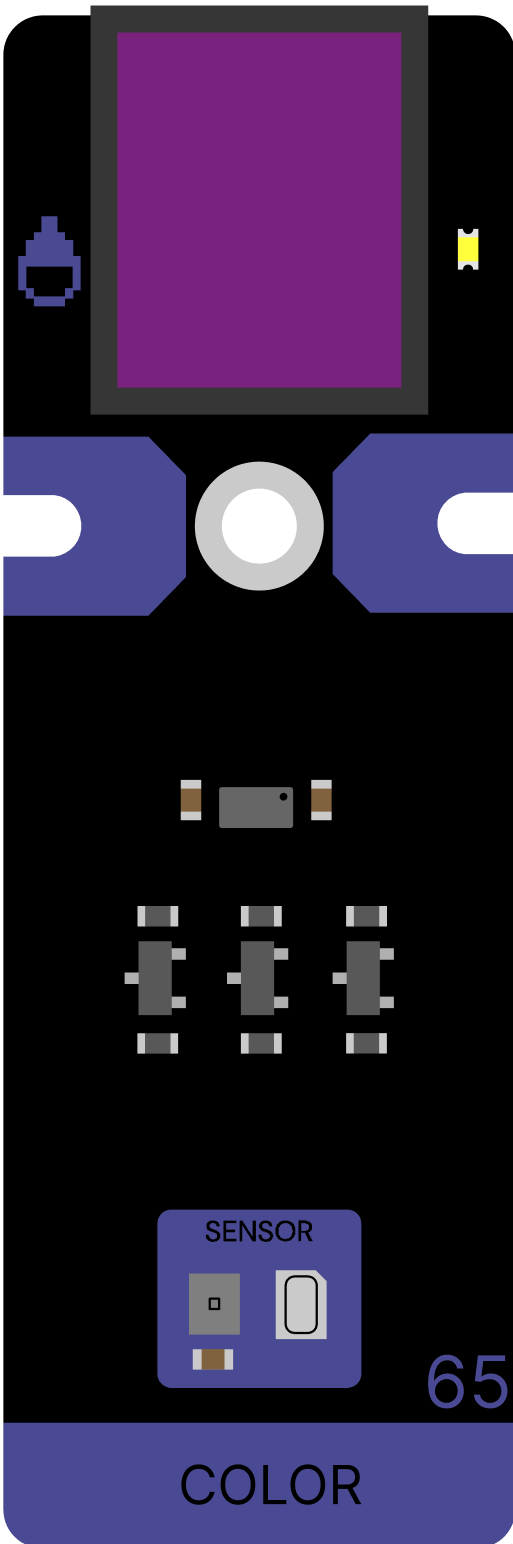
Color sensor
Se utiliza para detectar el color de una fuente de luz o de un objeto. Puedes obtener los niveles de intensidad de cada color del modelo RGB en un rango de 0 a 255.
It connects to a purple pin.
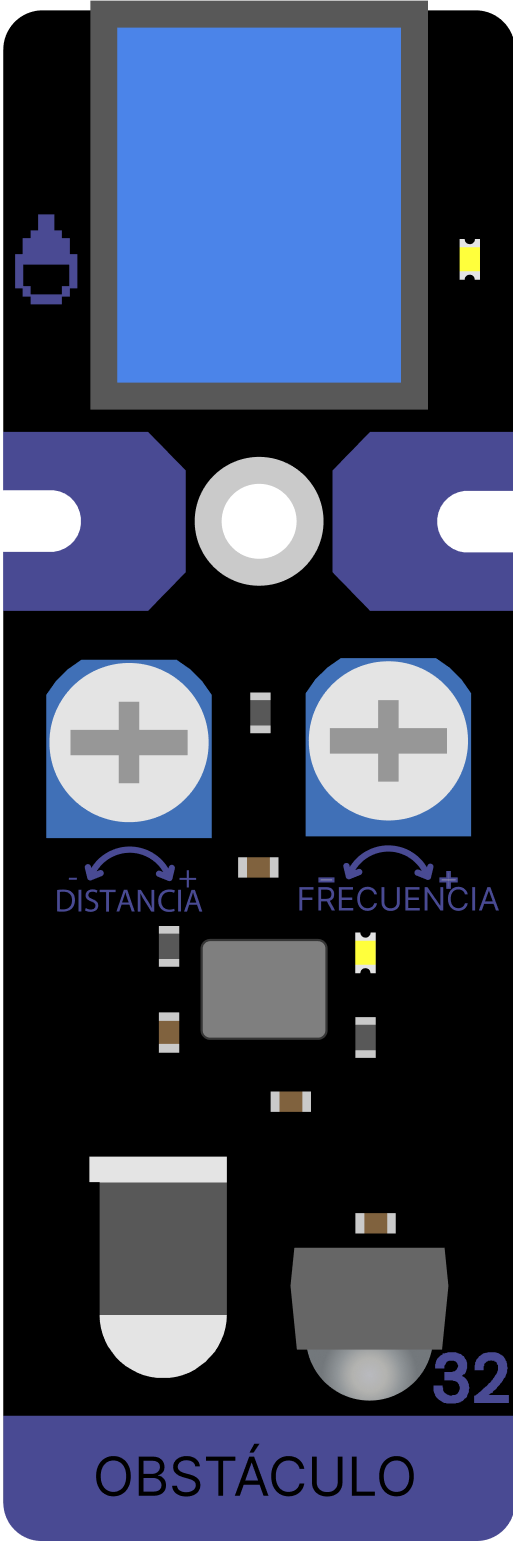
Obstacle
It uses an infrared light emitter and receiver to detect objects that are in front.
It connects to a blue pin.
Analogs
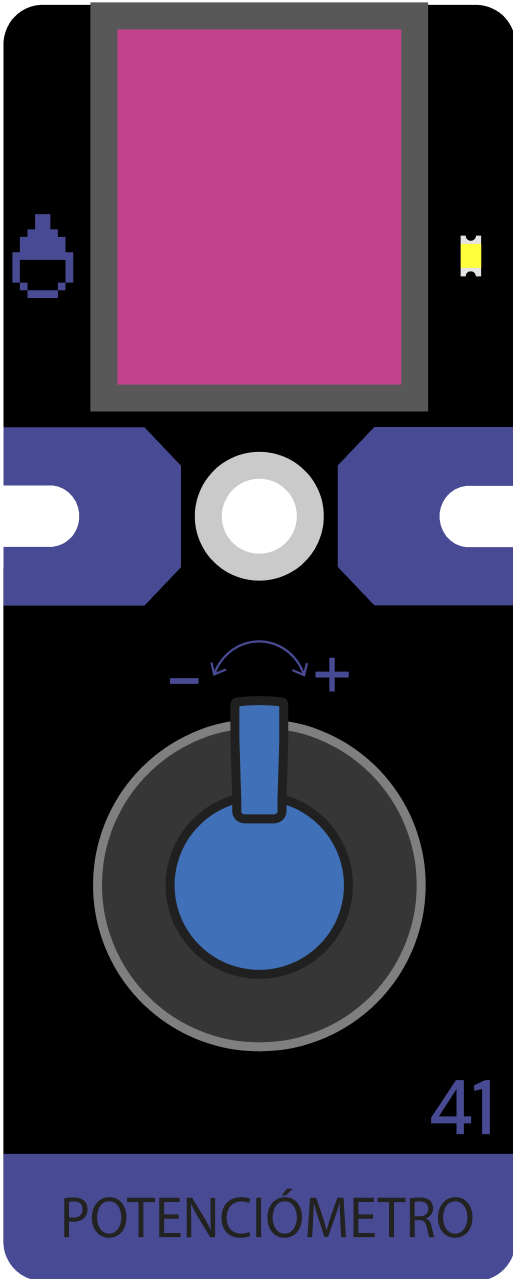
Potentiometer
Detects the rotation angle of a knob in a range between 0 and 1023.
Its connects to a pink pin.
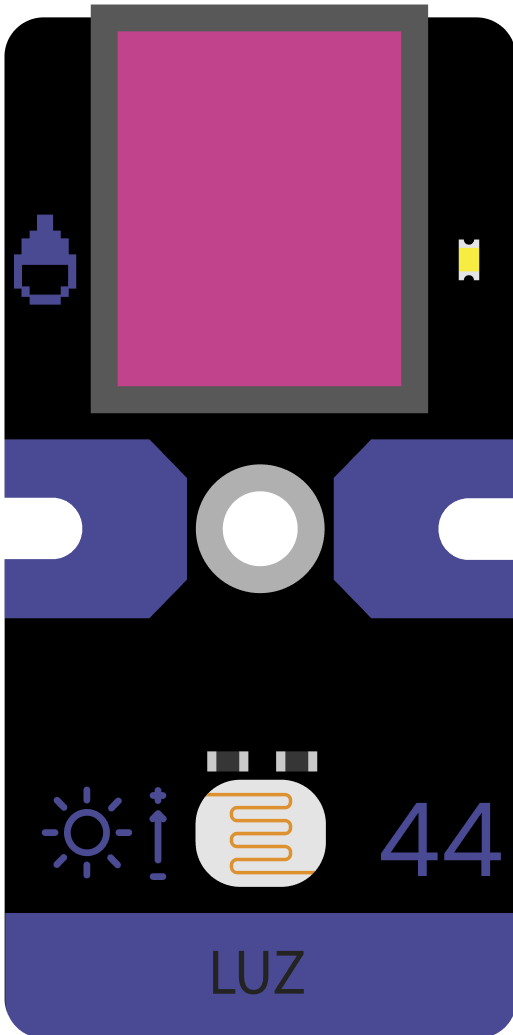
Light sensor
Capable of detecting the presence of light in the environment in a range between 0 and 1023.
Its connects to a pink pin.

Joystick
It consists of a stick that pivots on a base and reports the horizontal and vertical angle.
It connects to a grey pin.

Soil moisture sensor
Measures the soil moisture level in a range between 0 and 1023.
Its connects to a pink pin.
Assembly parts
In the kit you will find plastic pieces to develop the assembly of the devices. Within each chapter there is a step by step guidance to carry them out.
Encastre
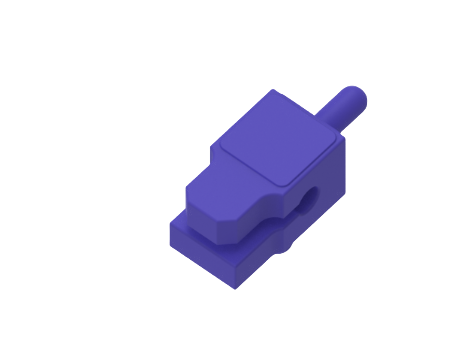
Insert boards
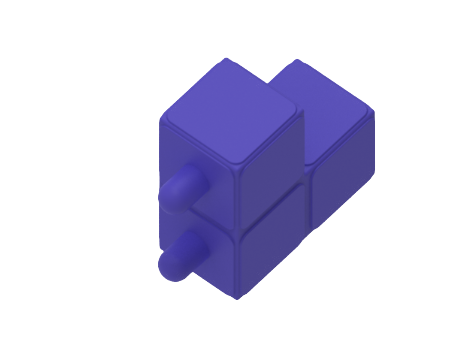
Insert at 90ºL
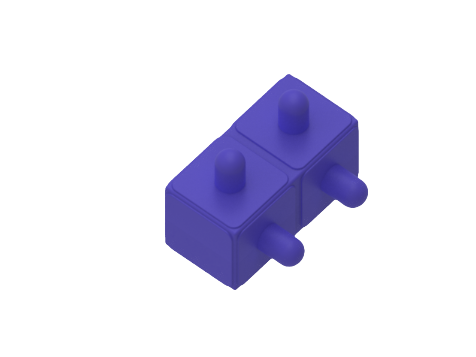
Insert at 90º
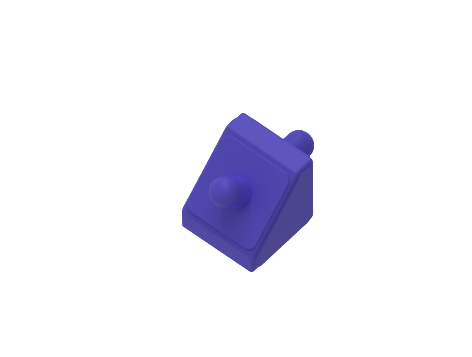
Insert at 45º
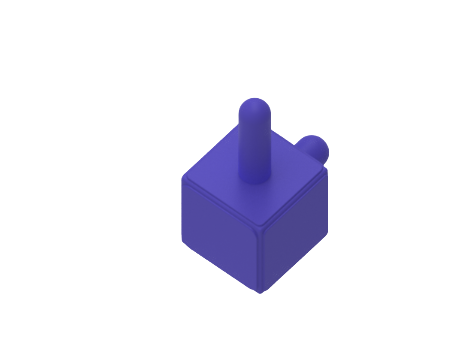
Insert pivot
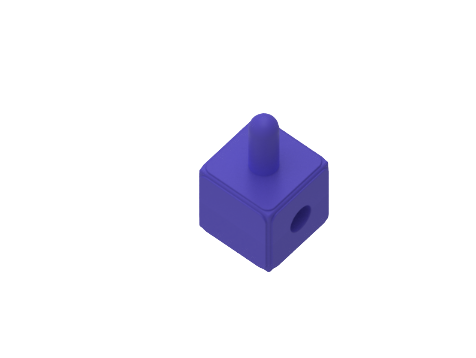
Cross insert
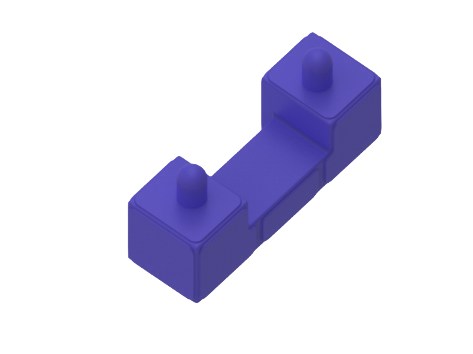
Servo insert
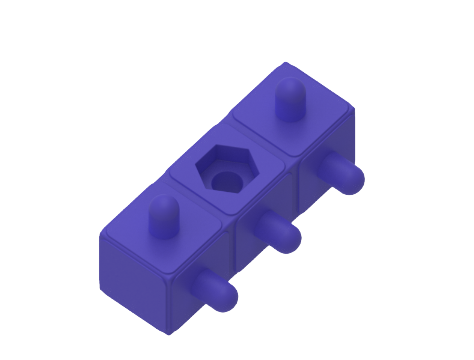
Insert with nut


Copyright © 1994 -2025 FIFA. All rights reserved.

/
Robotic's kit
Controller board
It is one of the most important components since it allows us to connect the Microbit board and connect all the external components.
Microbit® board
The BBC micro:bit is a pocket-sized computer that you can code, customise and also control. It has a variety of built-in components for quick and easy programming.
How to connect the controller board?
1. Plug the microbit into the controller board.
2. Connect the USB cable to the microbit.
3. Connect the controller board to PC with USB C cable.
4. Start programming!
External components
In the kit, there are some components that connect to the board using connection cables (one cable is needed for each component). They can be classified into sensors and actuators.
Sensors
Digital
Push button
Detects the pressure of a finger.
It connects to a blue pin.
Temperature & humidity sensor
Reads the temperature and humidity of the environment.
It connects to a blue pin.
Ultrasonic sensor
Measures the distance to an object in a range from 0 to 200 centimeters.
It connects to a red pin.
Touch button
Detects touch pressure. Also called “tactile button”.
It connects to a blue pin.
Line follower
It is made up of three infrared sensors that are capable of detect color values: black and white. This allows you to identify a black line on the floor to follow.
It connects to a grey pin.
Color sensor
Se utiliza para detectar el color de una fuente de luz o de un objeto. Puedes obtener los niveles de intensidad de cada color del modelo RGB en un rango de 0 a 255.
It connects to a purple pin.
Obstacle
It uses an infrared light emitter and receiver to detect objects that are in front.
It connects to a blue pin.
Analogs
Potentiometer
Detects the rotation angle of a knob in a range between 0 and 1023.
Its connects to a pink pin.
Light sensor
Capable of detecting the presence of light in the environment in a range between 0 and 1023.
Its connects to a pink pin.
Joystick
It consists of a stick that pivots on a base and reports the horizontal and vertical angle.
It connects to a grey pin.
Soil moisture sensor
Measures the soil moisture level in a range between 0 and 1023.
Its connects to a pink pin.
Assembly parts
In the kit you will find plastic pieces to develop the assembly of the devices. Within each chapter there is a step by step guidance to carry them out.
Encastre
Insert boards
Insert at 90ºL
Insert at 90º
Insert at 45º
Insert pivot
Cross insert
Servo insert
Insert with nut
/
Robotic's kit
Controller board
It is one of the most important components since it allows us to connect the Microbit board and connect all the external components.
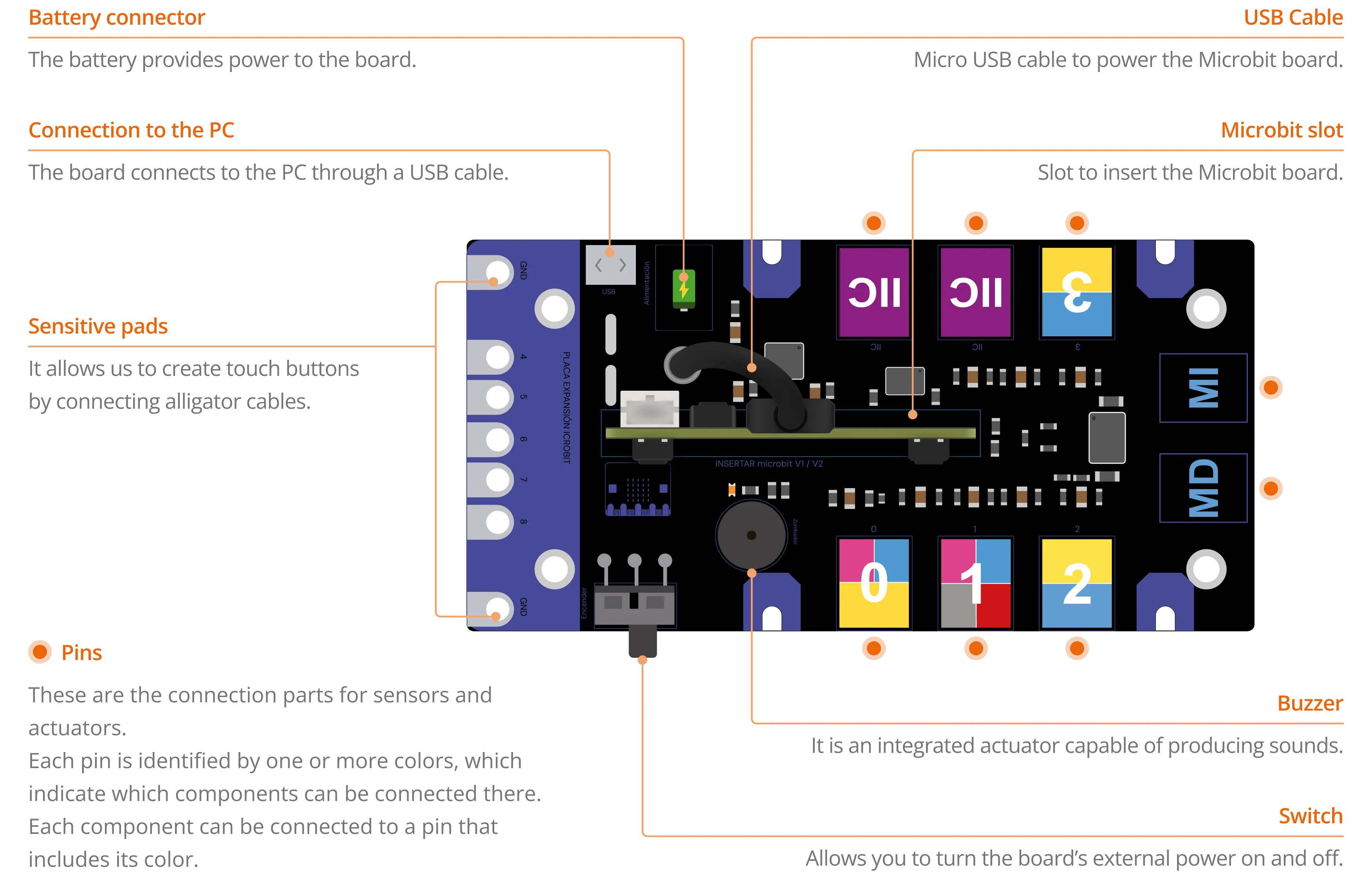
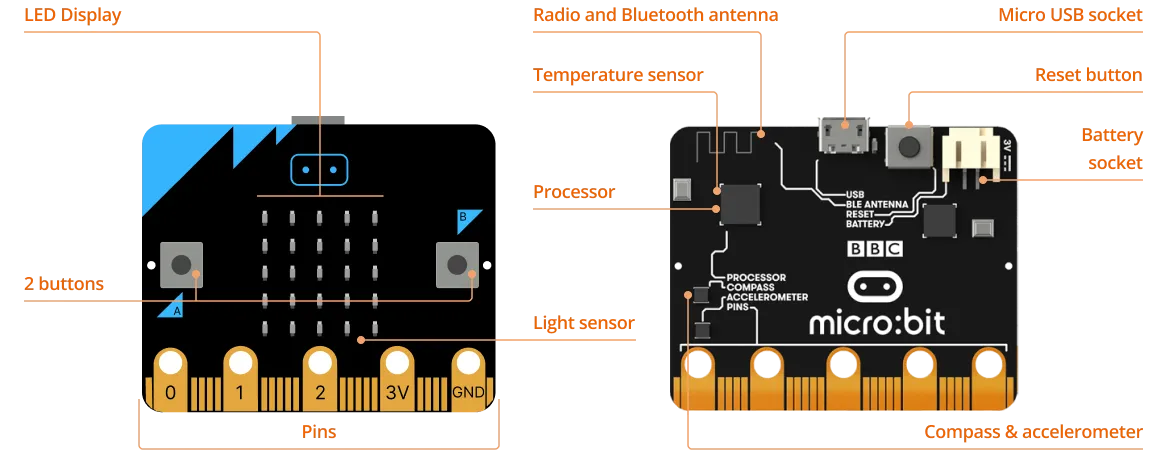
Microbit® board
The BBC micro:bit is a pocket-sized computer that you can code, customise and also control. It has a variety of built-in components for quick and easy programming.
How to connect the controller board?
1. Plug the microbit into the controller board.
2. Connect the USB cable to the microbit.
3. Connect the controller board to PC with USB C cable.
4. Start programming!
External components
In the kit, there are some components that connect to the board using connection cables (one cable is needed for each component). They can be classified into sensors and actuators.
Sensors
Digital
Push button
Detects the pressure of a finger.
It connects to a blue pin.
Temperature & humidity sensor
Reads the temperature and humidity of the environment.
It connects to a blue pin.
Ultrasonic sensor
Measures the distance to an object in a range from 0 to 200 centimeters.
It connects to a red pin.
Touch button
Detects touch pressure. Also called “tactile button”.
It connects to a blue pin.
Line follower
It is made up of three infrared sensors that are capable of detect color values: black and white. This allows you to identify a black line on the floor to follow.
It connects to a grey pin.
Color sensor
It is used to detect the color of a light source or of an object. You can get the intensity levels of each color of the RGB model in a range from 0 to 255.
It connects to a purple pin.
Obstacle
It uses an infrared light emitter and receiver to detect objects that are in front.
It connects to a blue pin.
Analogs
Potentiometer
Detects the rotation angle of a knob in a range between 0 and 1023.
Its connects to a pink pin.
Light sensor
Capable of detecting the presence of light in the environment in a range between 0 and 1023.
Its connects to a pink pin.
Joystick
It consists of a stick that pivots on a base and reports the horizontal and vertical angle.
It connects to a grey pin.
Soil moisture sensor
Measures the soil moisture level in a range between 0 and 1023.
Its connects to a pink pin.
Assembly parts
In the kit you will find plastic pieces to develop the assembly of the devices. Within each chapter there is a step by step guidance to carry them out.
Encastre
Insert boards
Insert at 90ºL
Insert at 90º
Insert at 45º
Insert pivot
Cross insert
Servo insert
Insert with nut